 UniClip
Connected to Mac
Local Wi-Fi • End-to-end encrypted
Key: 3f9a1c
Recent clips
UniClip instantly syncs your clipboard both ways between Android and Mac over your local Wi-Fi. Every clip is sealed end-to-end with AES-256-GCM, no cloud servers, no accounts and zero internet required.
UniClip
Recent clips
Last synced clip
Send from Mac to Phone
Recent clips
Real Hardware Screencasts
Unedited screen recordings from a physical Android phone and Mac. Watch text copied on Android and transmitted directly to the macOS menu bar across local Wi-Fi.
Text is selected anywhere and shared with one tap via UniClip's native Android action.
Clip arrives instantaneously in the status bar popover and updates the system pasteboard.
Features
UniClip runs silently in the background and stays out of your way until you hit ⌘C. Here is what happens under the hood.
Every clip is sealed with AES-256-GCM using a private symmetric key shared directly between your two devices during QR pairing. Each message uses a fresh 96-bit random IV, so identical clips never look the same on the wire.
{ "iv": "a7c2e91408db3312…", "ciphertext": "8f2c3d9a1e0b…", "tag": "91b8f410c5e317d2…" }Your phone talks directly to your Mac over a local WebSocket. No relay servers, no third-party databases and nothing to sign up for. Your clipboard data never touches the public internet.
Router reassigned your IP address? UniClip uses Bonjour (mDNS) to find your Mac on the network automatically—no manual IP typing, reconnection rituals, or pairing resets required.
Optional Bluetooth proximity detection automatically pauses syncing when you walk away from your Mac and seamlessly reconnects the moment you sit back down at your desk.
Because your clips don’t bounce through an external cloud server, syncing happens typically under 15 milliseconds on a standard home or office Wi-Fi network. By the time your hand reaches the keyboard, it’s already there.
Lives quietly in your macOS menu bar and Android Quick Settings. No intrusive windows, zero background telemetry and full native support for system Light and Dark themes.
Design & Performance
Zero bloated web wrappers or battery-draining background tasks. UniClip is crafted with native Swift on macOS and Kotlin + Material 3 on Android.
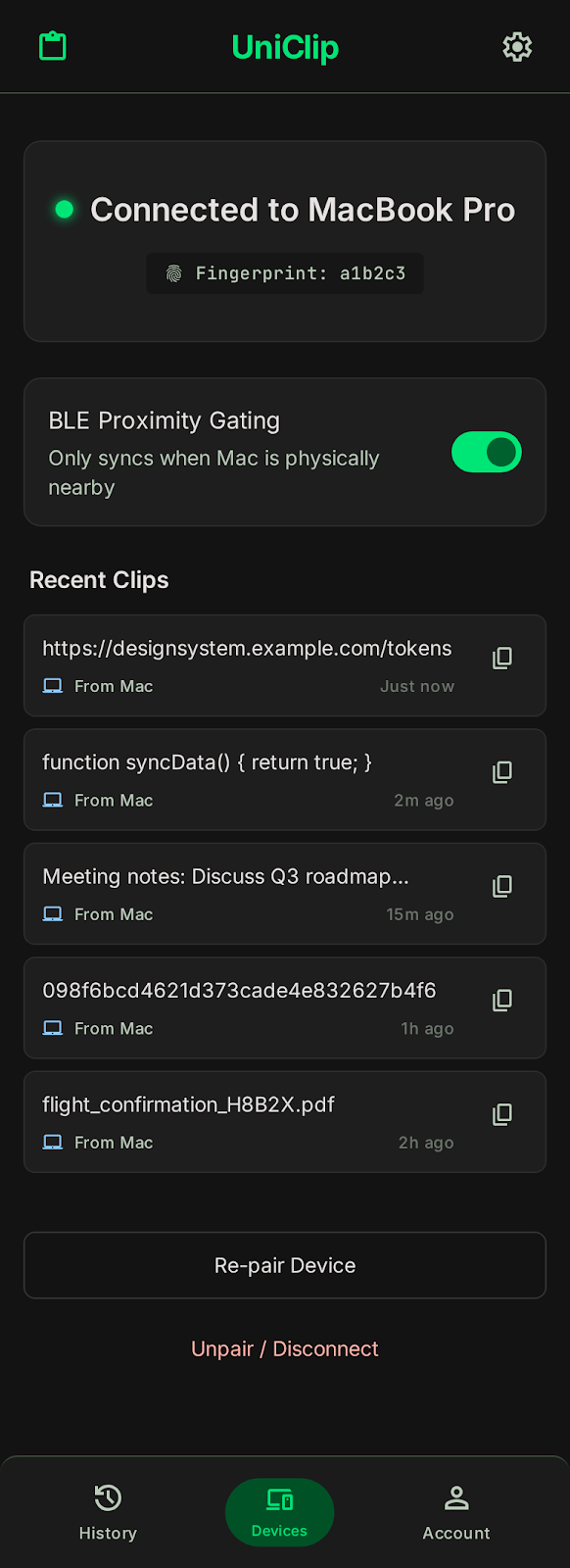
UniClip sits quietly in your notifications and Quick Settings. Open the Android dashboard for instant visibility into your Wi-Fi connection, sync status and recent clipboard history.
Meeting moved to 3pm, room 4B
Built specifically for macOS Sonoma and Sequoia using native Swift and SwiftUI. UniClip lives in your status bar, uses under 20 MB of RAM and respects system appearance changes instantly.
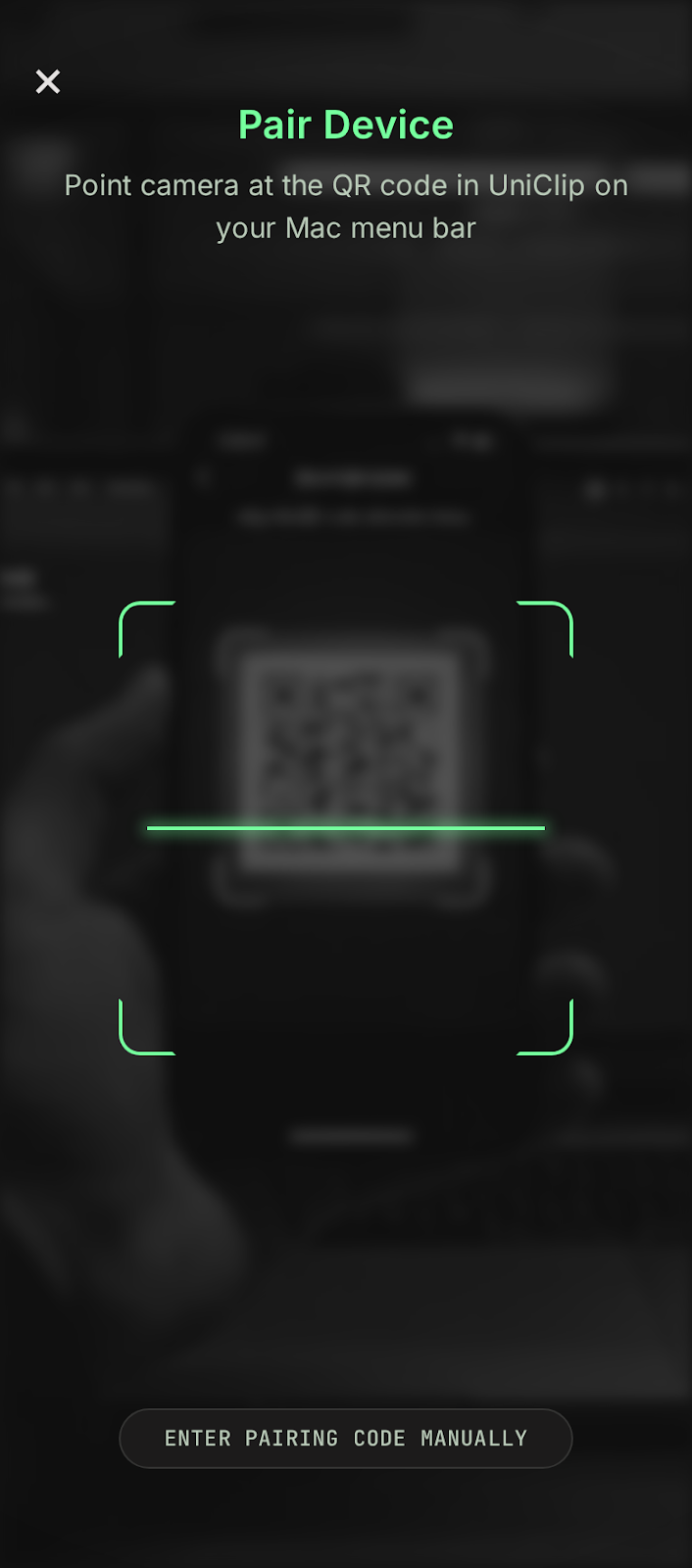
Point your phone at the QR code displayed in your Mac menu bar. The CameraX viewfinder reads the 256-bit symmetric key and Bonjour address directly off your monitor screen.
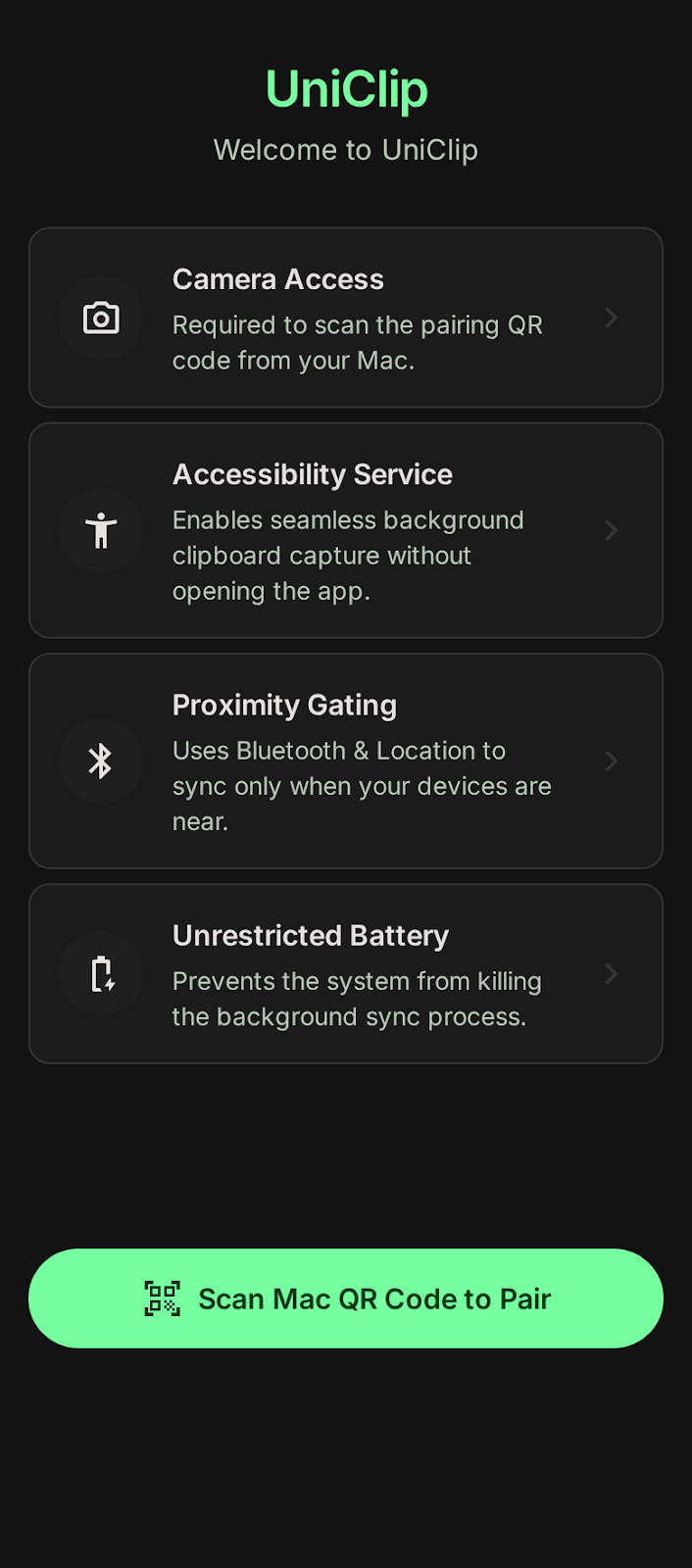
Modern Android OEM task killers often kill background tools. UniClip guides you through battery optimization settings so clips arrive reliably when the screen is locked without draining battery.
How it works
Drop UniClip into your Applications folder. It lives in your menu bar—just toggle on Launch at Login and forget about it.
Install the app and allow unrestricted background battery use so clips arrive instantly even when your phone is locked.
Click Pair New Device on your Mac and scan the QR code with your phone. Both devices store the key and link automatically.
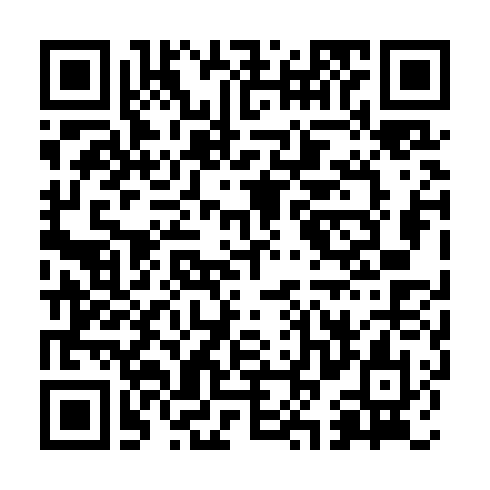 Sample Pairing QR
Your Mac generates a 256-bit AES symmetric key and embeds it into a local QR code along with its Bonjour network address. When scanned, your phone stores the key securely in the hardware-backed Android Keystore, while your Mac saves it in the macOS Keychain. The key persists between sessions until you choose to re-pair or rotate keys.
uniclip://pair?key=7f8a9b2c4d5e6f7a8b9c0d1e2f3a4b5c6d7e8f9a0b1c2d3e4f5a6b7c8d9e0f1a&host=MacBook-Pro.local&port=8765
Physical security notice: Anyone with direct camera access to this QR code receives the symmetric key. Only scan the code from your trusted device in a private environment.
A plain-language disclosure for Android privacy
Starting in Android 10, Google restricted background apps from reading clipboard contents to safeguard user data. To provide seamless automatic clipboard syncing from phone to Mac without forcing you to tap a notification every time you copy something, UniClip offers an optional Accessibility Service.
Hit ⌘C on your Mac to copy text, links, or code. It arrives on your phone instantaneously in the background, ready to paste into any app or tap directly from your Gboard suggestion strip.
Android restricts background clipboard access for privacy, so UniClip gives you four frictionless ways to send clips to your Mac:
Comparison
Most clipboard tools either lock you into Apple’s closed hardware ecosystem, require heavy multi-tool suites, or route your sensitive passwords and 2FA codes through someone else's cloud.
| Feature | UniClip | Apple Universal Clipboard | KDE Connect | Cloud Clipboard Apps |
|---|---|---|---|---|
| Two-Way Sync (Mac ⇄ Android) | Yes (Both ways) | Apple only | Yes | Yes |
| Clipboard-Focused / Zero Bloat | Yes (Dedicated) | Built-in | Heavy suite | Varies |
| Cloud Account Required | None (No account) | Apple ID / iCloud | None | Account required |
| Data Stored On External Servers | Never (Local Wi-Fi) | Never (P2P Wi-Fi/BLE)* | Never (Local) | Yes (Cloud relay) |
| Encryption Standard | AES-256-GCM (Direct Key) | Apple P2P encryption | TLS / RSA | HTTPS in-transit |
| Bluetooth Proximity Auto-Pause | Pauses when away | BLE Handshake | No | No |
| Native Mac Menu Bar App | Swift / macOS 14+ | Built-in | Qt / Community | Often Web / Electron |
*Comparison accurate as of October 2026. Apple Universal Clipboard transfers data peer-to-peer via Bluetooth and Wi-Fi Direct, but strictly requires an iCloud Apple ID account and compatible Apple hardware on both ends.
Downloads
Free and open-source under the MIT license. Install UniClip on both your Mac and your Android phone to get started. Official App Store and Google Play listings are currently in review, grab the direct builds below.
Menu bar app • macOS 14+ • Apple silicon & Intel
Verifying release…
shasum -a 256 UniClip-macOS.dmg
UniClip is a community open-source tool distributed directly without a paid Apple Developer certificate. macOS Gatekeeper flags all directly downloaded unsigned binaries. You can inspect the source code on GitHub, verify the SHA-256 checksum and launch it via System Settings → Privacy & Security → “Open Anyway”.
APK • Android 10+
Visiting on your Mac? Point your Android camera at this code to download the APK directly onto your phone.
Verifying release…
sha256sum UniClip.apk
Google Play Protect displays a standard advisory when installing direct APKs outside Google Play. UniClip communicates solely across your local Wi-Fi, requires zero internet access and collects no telemetry. You can verify the SHA-256 hash above or build directly from source using Android Studio.
Roadmap
UniClip is built for developers, power users and privacy advocates. Here is our engineering roadmap for upcoming releases.
Fast two-way text and link syncing over local Wi-Fi, Bonjour mDNS auto-discovery, Bluetooth proximity detection and native macOS & Android UI.
Enhanced security defenses designed to safeguard sensitive clips and credentials on untrusted networks.
Expanding beyond text to deliver Apple Continuity–grade image and screenshot synchronization.
Power-user integrations and resilience for corporate and campus environments.
Transparent Pricing
No monthly subscriptions. No cloud servers. No account required. One purchase unlocks all your Macs and Android devices with offline cryptographic verification.
Core text and link synchronization for your daily workflow.
For developers, designers and power users who want maximum velocity.
🔒 30-day money-back guarantee • Cryptographic offline activation • Zero telemetry or cloud storage
FAQ & Support
Everything you need to know about privacy, security and setup.
Yes, absolutely. UniClip is fully bidirectional:
Never. UniClip has zero cloud relay servers and zero cloud databases. Clips travel straight between your devices over your local Wi-Fi network, sealed with AES-256-GCM authenticated encryption using a symmetric key stored only in your macOS Keychain and Android Keystore.
UniClip is purpose-built for the Android and macOS ecosystem today. iOS enforces strict background execution limits that prevent apps from monitoring clipboard activity without user interaction. Community builds for Windows and Linux may be explored in the future, as the core protocol is open-source.
UniClip communicates over local Wi-Fi. If your company or school network has AP Client Isolation enabled (which prevents wireless devices from pinging each other), or if one device is running a full-tunnel VPN that intercepts local subnets, direct Wi-Fi discovery will be blocked. To bypass this, you can connect your phone via Wi-Fi hotspot, or use the upcoming USB-C wired mode planned for v1.3.
UniClip Free supports a 1-to-1 active pair (1 Mac and 1 Android phone at a time).
UniClip Pro unlocks unlimited simultaneous devices. You can connect multiple Android phones, tablets, and test devices to your Mac at the same time. Any text copied on your Mac or any connected phone broadcasts instantly across your entire device mesh in real-time.
UniClip Pro is a strict $19 pay-once lifetime license. There are no monthly fees, no yearly renewals, and no subscriptions. You own the software forever, including all future updates.
No. A single UniClip Pro license covers all your personal devices. Once you enter your license key on your Mac or Android app, UniClip automatically shares and unlocks Pro across all your paired devices via encrypted peer-to-peer handshake. No accounts or logins needed.
UniClip licenses use asymmetric Ed25519 digital signatures. Both the Mac and Android apps bundle our public verification key and validate your license signature entirely offline on your device. Your app never calls home to a central license server, emits zero telemetry, and works completely off-grid.
UniClip supports text and link payloads up to 1 MB per clip. This is more than enough for extensive source code files, long essays and JSON documents, while keeping memory overhead negligible and transmission latency strictly sub-15ms.
No. Recent clips are held strictly in volatile application memory to populate the recent history list in the UI. When you quit the app, history in memory is discarded. UniClip never writes plain-text clips to persistent log files or disk databases.
This happens if you generated a new pairing key on your Mac while your phone is still using the previous key. Simply click Show pairing QR code on your Mac and re-scan it from the Android app's Settings.
No. Accessibility is completely optional. It is only needed if you want every copy to sync automatically without touching your phone. You can always use the Quick Settings tile, the share sheet, or the text selection menu instead.
Aggressive OEM battery managers (e.g. Samsung One UI, Xiaomi MIUI) will put background apps to sleep. Go to your phone's Settings → Apps → UniClip → Battery and select Unrestricted. Also verify UniClip is removed from any "Sleeping apps" lists.
No. Clipboard syncing happens entirely over local Wi-Fi. Bluetooth is only used if you enable the optional Walk-away auto-pause proximity feature.
On macOS, click the UniClip menu bar icon, open Settings, and click New pairing key. On Android, open Settings and tap Unpair Mac. This purges stored keys from both device keychains.
No matches. Try different keywords, or use the diagnostic form below.
Contact & Support
Send a message directly to our support team at uniclip@stellience.com or submit an inquiry below.